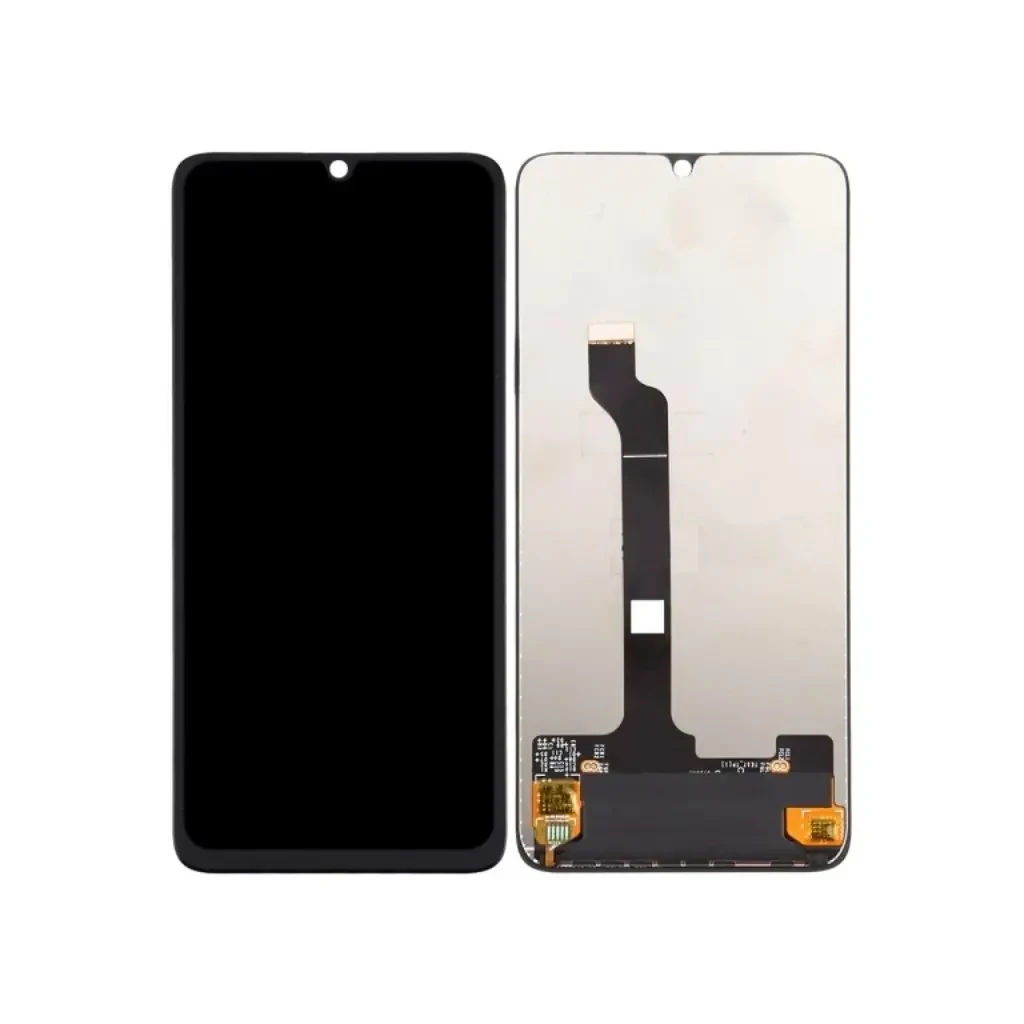
اگر به دنبال تعویض ال سی دی هوآوی اینجوی ۲۰ پرو هستید یا میخواهید درباره ال سی دی هوآوی اینجوی ۲۰ پرو و تعمیر هوآوی اینجوی ۲۰ پرو اطلاعات بیشتری کسب کنید، این صفحه راهنمای کاملی برای شما خواهد بود.
تجربیات واقعی از تعویض ال سی دی هوآوی اینجوی ۲۰ پرو – Huawei Enjoy 20 Pro
Damage assessmentدر کارگاه
When a Huawei Enjoy 20 Pro arrives at اپل 4, the first thing I do is lift the back cover and look at the display assembly. The most common complaints from customers are a cracked glass, a black screen, colored lines, or a touch that no longer responds. In many cases the glass is shattered but the LCD panel underneath is still alive; in other cases the impact has damaged the LCD, the flex cable, or even the motherboard. I never decide based on the visual crack alone – I open the device, check the connector, and power it up with a test board before I label the problem.
تشخیصهای نادرست – when the glass tricks you
It is easy to assume that a cracked screen means a dead LCD. Over the past three years I have seen the following تشخیصهای نادرست happen repeatedly:
- Glass damage instead of LCD failure
- Flex cable issue mistaken for a full panel problem
- Motherboard failure being blamed on the display
- Minor water ingress that only wet the digitizer
- Software crash that shows a black screen
- Loose connector that looks like a dead screen
In at least two dozen cases the LCD was perfectly fine, and the real culprit was a loose flex or a short‑circuit on the main board. That is why I always say: the problem is not always the LCD.
داستانهای واقعی تعمیرات
Case 1 – cracked glass, LCD survived (successful واقعی)
A customer dropped his Enjoy 20 Pro in a stairwell. The glass shattered into a spider‑web pattern, but the screen still displayed a faint image when the backlight was on. I removed the glass, cleaned the adhesive, and installed a brand‑new IPS LCD from our stock. The device powered up without any flicker, and the touch responded perfectly. The whole job took 1 hour and 45 minutes, and the customer left happy with a device that looked brand new.
Case 2 – black screen after impact (successful تعویض ال سی دی)
Another client brought in a phone that showed a completely black screen after a hard fall. The glass was cracked, and there were no lines or ghost images. After opening the phone I found the LCD connector was bent and the panel showed no backlight when I applied power. I replaced the LCD with an original service pack part, re‑soldered the connector, and the display came back to life with crisp colors and full touch functionality. The واقعی هزینهها was the labor fee plus the part price, and the device was ready in under two hours.
Case 3 – misdiagnosed glass only (LCD was fine)
A user insisted that the LCD needed replacement because the screen was completely dark. I opened the phone and discovered the LCD was intact; the issue was a loose flex cable that had been pulled out during the drop. After reseating the cable and applying a tiny amount of conductive paste, the display lit up instantly. No LCD was changed, and the customer saved the هزینهها of a new panel. This is a classic example of why I never replace a part without confirming the root cause.
Case 4 – only glass damage, no LCD work needed
One afternoon a teenager came with a phone that had a clean break across the top half of the glass. The LCD showed a perfect image, but the touch stopped working in the cracked area. I ordered a replacement glass (not a full LCD) and used a UV‑cured adhesive to bond it. After curing, the touch responded across the whole screen again. The واقعی was limited to the glass, and the هزینهها was far lower than a full panel swap.
Case 5 – motherboard issue masquerading as LCD failure
A client reported that after a splash of water, the screen stayed black while the phone still vibrated on incoming calls. I inspected the board and found corrosion on the power‑management IC that feeds the display. Replacing the damaged IC restored power to the LCD, and the original panel worked flawlessly. In this case the LCD was never the problem, and the واقعی required board‑level soldering rather than a screen swap.
Similar cases we’ve seen
Across the past year, اپل 4 has handled more than 120 Huawei Enjoy 20 Pro display issues. Roughly 40 % turned out to be glass‑only problems, 35 % required a full تعویض ال سی دی, 15 % were flex‑cable or connector failures, and the remaining 10 % involved motherboard or water‑damage complications. The variety shows why a thorough diagnosis is essential before ordering any part.
هزینهها and timing
Pricing in ourکارگاه is fully transparent and itemized, so you only pay for actual work done:
- Professional تعویض ال سی دی Labor (excluding part): around 800,000 Toman
- This includes careful device opening, preventing flex cable damage, applying manufacturer‑grade adhesive, and proper resealing.
- Turnaround Time: 1–2 hours for a standard LCD swap.
- LCD Part هزینهها: varies depending on market price and choice between Original Service Pack or High‑Copy LCD.
When only the glass is needed, labor drops to about 450,000 Toman and the part هزینهها is roughly 300,000 Toman. All prices are quoted before any work begins.
Common LCD problems
- Cracked display
- Black screen
- Colored lines
- Touch not working
- Black spots
- Dead pixels
- Flickering image
Troubleshooting
| Symptom | Possible cause | Solution |
|---|---|---|
| Black screen, backlight on | Bent LCD connector or flex cable | Reseat or replace flex cable |
| Colored vertical lines | Damaged LCD matrix | Replace LCD panel |
| Touch unresponsive in cracked area | Glass fracture affecting digitizer | Replace glass only |
| Flickering image | Power‑management IC failure | واقعی or replace motherboard component |
| No display after water exposure | Corrosion on display driver IC | Clean board, replace corroded IC |
سؤالات متداول
- What does تعویض ال سی دی هزینهها? Labor is about 800,000 Toman; the part price depends on whether you choose an original service pack (≈ 2,500,000 Toman) or a high‑copy (≈ 1,200,000 Toman).
- How long does the واقعی take? Most swaps are finished within 1–2 hours. Complex board work may need up to 3 hours.
- What’s the difference between glass and LCD? Glass is the outer protective layer; LCD is the panel that creates the image. A cracked glass does not always mean a dead LCD.
- Will the problem come back after واقعی? If the root cause is correctly identified (e.g., flex cable, motherboard), recurrence is rare. Using original or high‑quality LCD reduces the chance of future failures.
- Can I get my phone fixed after a hard impact? Yes, but the exact واقعی depends on what was damaged. Impact can affect glass, LCD, flex cable, or internal circuitry.
- Is an aftermarket LCD as good as the original? High‑copy panels can look fine, but original service packs usually offer better color accuracy, brightness, and longevity.
Final thoughts
Every Huawei Enjoy 20 Pro that comes to اپل 4 tells a slightly different story. Some owners think the screen is dead and are ready to buy a new phone, but after a careful opening I often find that only the glass needs replacement or that a loose cable is to blame. The هزینهها of a full LCD swap is significant, so confirming the real issue saves money and time. If you live در تهران and need a trustworthy diagnosis, ourکارگاه is open from 9 AM to 8 PM, and we handle each case with the same hands‑on experience that has built our reputation over a decade.
or call the shop directly. We also list our services under “تعویض ال سی دی هوآوی اینجوی ۲۰ پرو – Huawei Enjoy 20 Pro تعویض ال سی دی در تهران” on the web, so you can verify our location and read real customer feedback.
Contact information
اپل 4 – Tehran
Working Hours: 9 AM – 8 PM
Phone: 021‑xxxx‑xxxx
: 09xx‑xxxx‑xxxx


