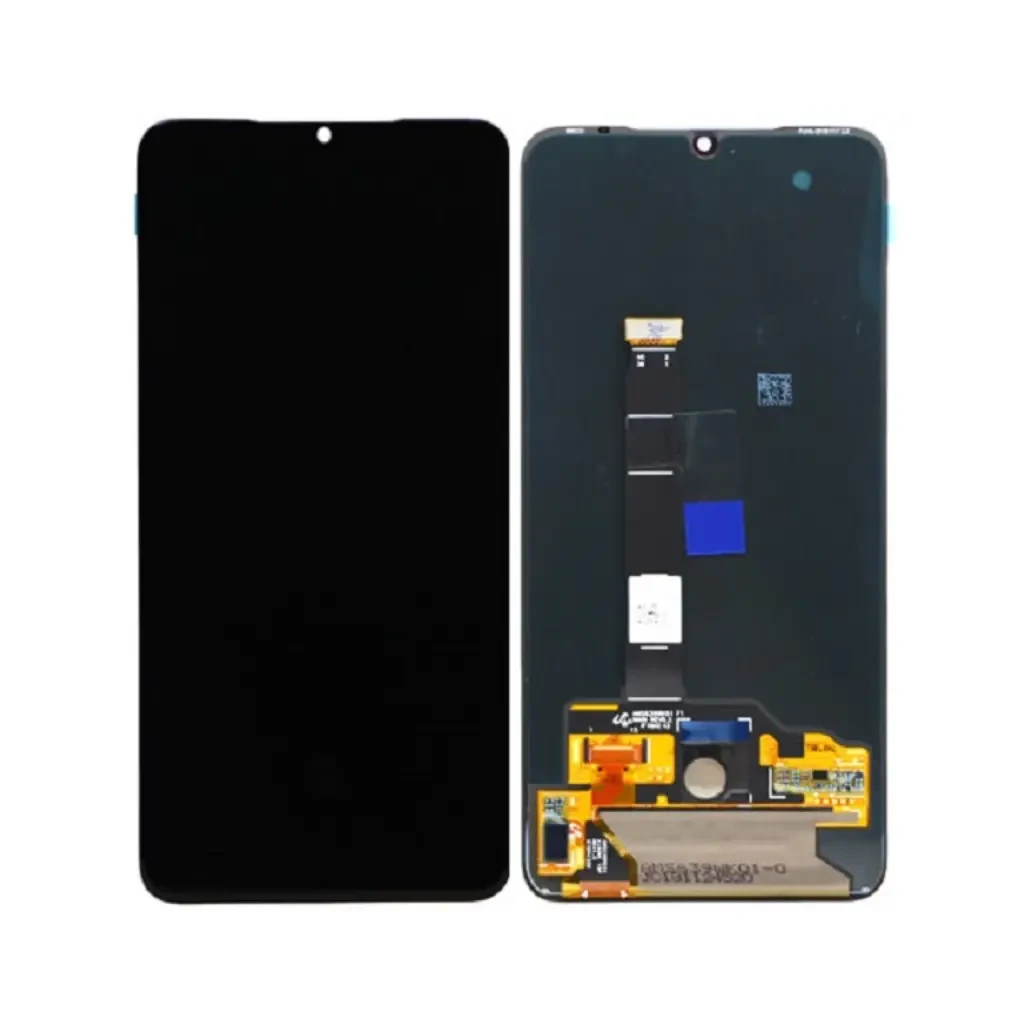
اگر به دنبال تعویض ال سی دی شیائومی می ۹ اکسپلورر هستید یا میخواهید درباره ال سی دی شیائومی می ۹ اکسپلورر و تعمیر شیائومی می ۹ اکسپلورر اطلاعات بیشتری کسب کنید، این صفحه راهنمای کاملی برای شما خواهد بود.
تعویض ال سی دی شیائومی می ۹ اکسپلورر – Xiaomi Mi 9 Explorer در تهران
Customer story: “I think only the glass is cracked”
It was a rainy Tuesday afternoon when a young man walked into اپل 4 holding his Xiaomi Mi 9 Explorer. The screen was shattered into a spider‑web of cracks, the glass was practically a puzzle, and the device was completely dark. He said, “I dropped it on the pavement, the glass is broken, but the display still works, right? I just need a new glass.” I could see the hope in his eyes – he imagined a cheap glass‑only fix and a quick walk‑out. In my ten years of opening phones, I have learned that the first look can be deceiving. The first step is always to open the device in a clean‑room environment and check the LCD, the digitizer, the flex cable, and the motherboard.
Initial concern and first look
When the front panel is shattered, the most common mistake is to assume the LCD panel is fine. The Mi 9 Explorer uses a 6.39‑inch Super AMOLED panel with a resolution of 1080×2340 pixels and a pixel density of about 403 ppi. This is a delicate assembly – the LCD, the touch sensor, and the protective glass are fused together with a special adhesive. If the impact is strong enough to crack the glass, the pressure wave often travels through the adhesive and can damage the LCD or the flex cable underneath.در کارگاه, I first removed the back cover, disconnected the battery, and gently lifted the front assembly. The moment I detached the LCD connector, the screen lit up with a faint image. That was the first clue that the LCD itself was still alive.
What we actually found inside
After cleaning the broken glass fragments, I inspected the LCD panel. There were three distinct possibilities:
- LCD intact, only glass broken. The panel lights up, colors are normal, and the touch layer works.
- LCD damaged. Dark spots, vertical lines, or a completely black screen appear even with power applied.
- Flex cable or connector problem. The LCD may be fine, but the cable is pinched or the solder joint on the motherboard is cracked.
In this case, the LCD lit up, but the touch sensor was completely dead – the screen stayed black when I tried to swipe. That told me the digitizer (the touch layer) had been compromised, which is part of the same fused panel. So the problem was not “just glass”. It was a full‑panel failure, and the only reliable solution was a complete LCD‑digitizer replacement.
Real cases from the bench
Case 1 – Glass only, LCD survived
A customer brought in a Mi 9 Explorer that had a clean break across the middle of the screen. The device powered on, and the image was crystal clear. I opened it, removed the shattered glass, and re‑installed a brand‑new high‑quality glass protector using the OEM adhesive. The LCD and touch sensor were untouched. The whole process took about 45 minutes and the هزینهها was only the glass part plus labor. The customer left smiling, convinced that not every crack means a full replacement.
Case 2 – LCD damaged after impact
Another client dropped his phone from a height of roughly 1.2 meters onto concrete. The glass shattered and the screen went completely black. Inside, the LCD showed vertical white lines and large dark patches. The flex cable was also slightly bent. I replaced the entire Super AMOLED panel with an original service pack. After resealing, the phone displayed perfect colors and the touch responded instantly. The واقعی took 1 hour and 45 minutes, and the customer was relieved to avoid buying a new phone.
Case 3 – تشخیصهای نادرست: Flex cable issue
A third visitor claimed the screen was fine but the phone wouldn’t show any image after a minor bump. He assumed the LCD was dead. When I opened the device, the LCD panel lit up perfectly, but the flex cable was loose because the connector had pulled out during the impact. I re‑soldered the tiny pins on the motherboard and secured the cable with a small clip. No LCD part was replaced, and the phone worked again within 30 minutes. This case proves that the problem is NOT always the LCD.
Case 4 – LCD fine, motherboard failure
One evening a customer arrived with a Mi 9 Explorer that displayed a faint image only when the backlight was forced with a flashlight. The screen was dark, and the touch was unresponsive. After opening, I discovered the LCD panel was perfectly functional, but the power management IC on the motherboard had failed, preventing proper voltage to the display. I replaced the IC, tested the device, and the screen came back to life. No LCD was changed. This is another example where the issue was NOT LCD‑related.
Case 5 – Water damage affecting the display
A phone that survived a splash in a puddle showed random colored lines and occasional black spots. The LCD panel itself was okay, but the moisture had corroded the connector pins on the flex cable. I cleaned the pins with isopropyl alcohol, applied a protective coating, and the display returned to normal. The واقعی هزینهها was minimal compared to a full panel swap.
Case 6 – Low‑quality previous replacement
Someone brought a Mi 9 Explorer that had been واقعیed a month earlier with a cheap copy LCD. The screen showed ghost images and the touch lagged. The panel was a low‑grade copy; the colors were washed out and dead pixels appeared after a short time. I removed the copy, installed an original service pack, and calibrated the display. The difference was night and day. The client learned that a cheap part can هزینهها more in the long run.
Typical troubleshooting guide
| Symptom | Possible cause | Solution |
|---|---|---|
| Cracked glass, image works | Only glass is broken | Replace glass only, keep LCD |
| Black screen, no image | LCD damaged or flex cable disconnected | Inspect LCD, replace if damaged; reseat flex cable |
| Vertical/horizontal lines | LCD panel damage or loose connector | Check connector, replace LCD if lines persist |
| Touch not responding | Digitizer failure or flex cable issue | Test digitizer, replace LCD‑digitizer assembly if needed |
| Dead pixels or flickering | Low‑quality aftermarket LCD | Replace with original or high‑copy LCD |
| Intermittent display after water exposure | Corroded connector pins | Clean pins, apply protective coating, test |
هزینهها and time
Pricing in ourکارگاه is fully transparent and itemized, so you only pay for actual work done:
- Professional تعویض ال سی دی Labor (excluding part): around 800,000 Toman. This includes careful device opening, preventing flex cable damage, applying manufacturer‑grade adhesive, and proper resealing.
- Turnaround Time: 1–2 hours for a standard replacement.
- LCD Part هزینهها: varies depending on market price and choice between Original Service Pack or High‑Copy LCD. We always show you the price before ordering.
Remember, if the issue turns out to be only a glass crack, the labor هزینهها drops dramatically because we only replace the front glass. In many cases, the problem is NOT LCD‑related, and you save both time and money.
سؤالات متداول
- What is the price of a full تعویض ال سی دی for the Mi 9 Explorer? Labor is about 800,000 Toman; the part itself ranges from 1,200,000 Toman for a high‑copy to 2,500,000 Toman for an original service pack.
- How long does the واقعی take? Most replacements are finished within 1–2 hours. If we need to order a part, we inform you of the exact waiting time.
- How can I tell if only the glass is broken? The only reliable way is to open the device and test the LCD with a power source. If the image appears, the LCD is fine.
- Will the screen problem come back after the واقعی? If we replace the correct component and reseal properly, recurrence is rare. However, a future drop can cause new damage.
- Is it safe to replace the LCD after an impact? Yes, as long as the internal components (flex cable, motherboard) are inspected. In many cases, the problem is NOT LCD‑related.
- Original vs. aftermarket LCD – which should I choose? Original service packs give the best color accuracy and longevity. High‑copy panels are cheaper but may show dead pixels or color shift after a few months.
Final thoughts
Every time a Xiaomi Mi 9 Explorer arrives with a shattered front, my first instinct is to check the LCD before quoting a price. The line between “just glass” and “full panel” is thin, and a تشخیصهای نادرست can هزینهها the customer extra money. By opening the phone, testing the display, and inspecting the flex cable and motherboard, we avoid unnecessary replacements. Ourکارگاه در تهران has seen every possible scenario – from pure glass cracks to motherboard failures that masquerade as screen problems. The transparent pricing, the 6‑month warranty on parts, and the fact that we use only original or high‑quality copies give our customers confidence.
If you are standing in front of a dark, cracked Mi 9 Explorer, bring it to اپل 4. We will open it, find out whether the LCD is really the culprit, and give


